The MSDN website sucks. It loads extremely slowly, and is visually cluttered.
It turns out that MSDN has a low-bandwidth (“loband”) option. This will cause MSDN to render using much simpler HTML, which loads much more quickly and has a very clean appearance. To use this feature, tack “(loband)” at the end of the URL, before the .aspx suffix.
For example, here are the MSDN pages for SendMessage:
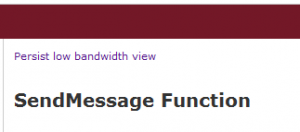
Note that you can make this the default rendering method by clicking on “Persist low bandwidth view” at the top of the page:
(source)
