The Rikaichan Project is a Firefox plugin which pops up translations information for Japanese characters.
Usage:
-
Install the Rikaichan plugin.
Restart your browser.
Navigate to a page with Japanese characters.
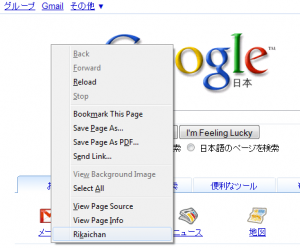
Right-click on the page and select Rikaichan (see image below).
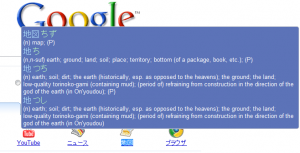
Hover the mouse over characters to see a pop-up translation.